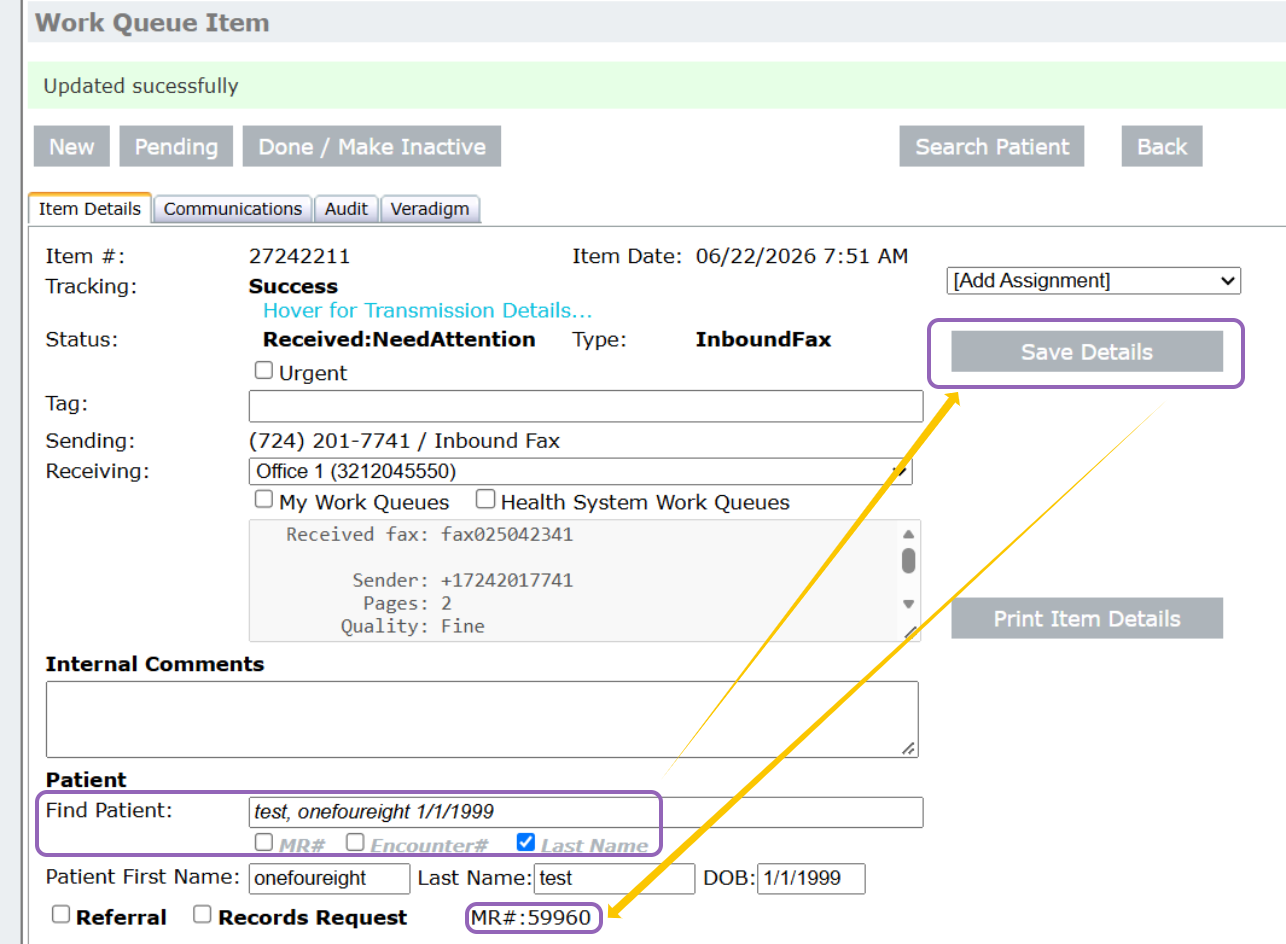
1. Open received work queue item and link established patient using Find Patient then click Save Details and confirm MR# is populated
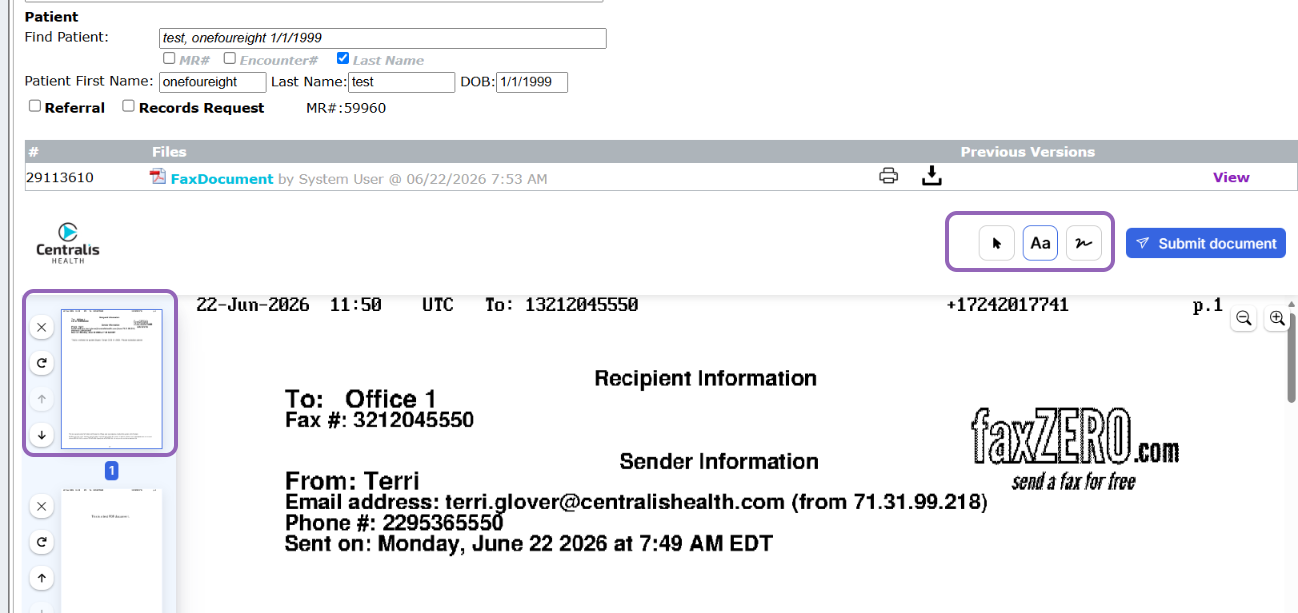
2. Leveraging PDF editing tools edit document (Rotate, remove, re-order, sign documents) to reflect how you'd like to see the document in the patient chart.
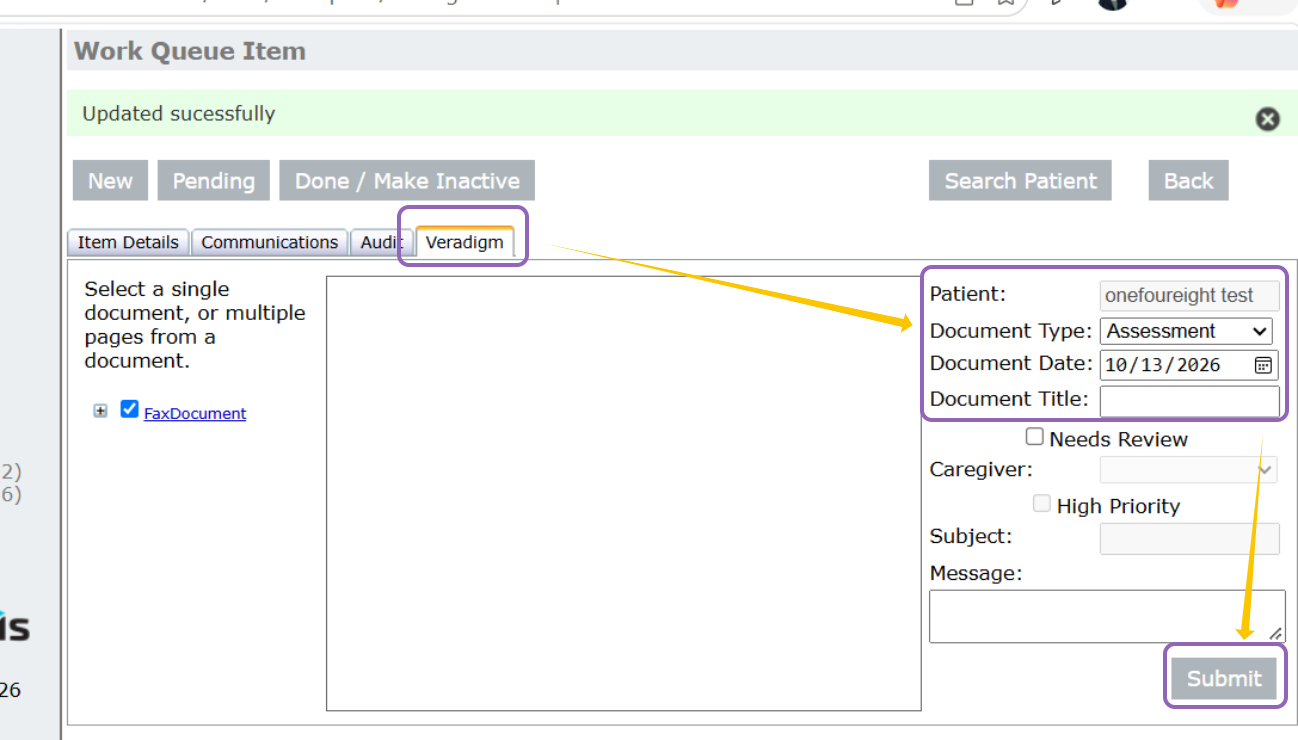
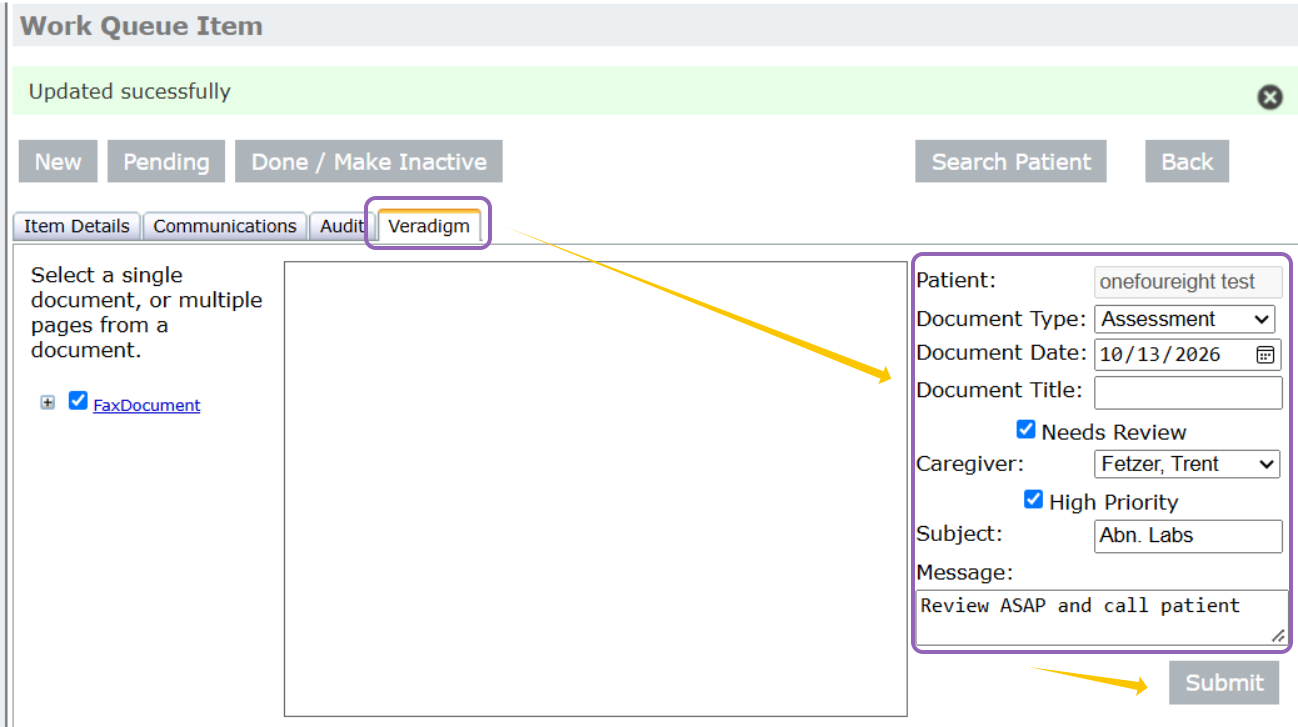
3. When document is ready for the patient chart select the Veradigm tab and complete fields according to your organizations internal policies
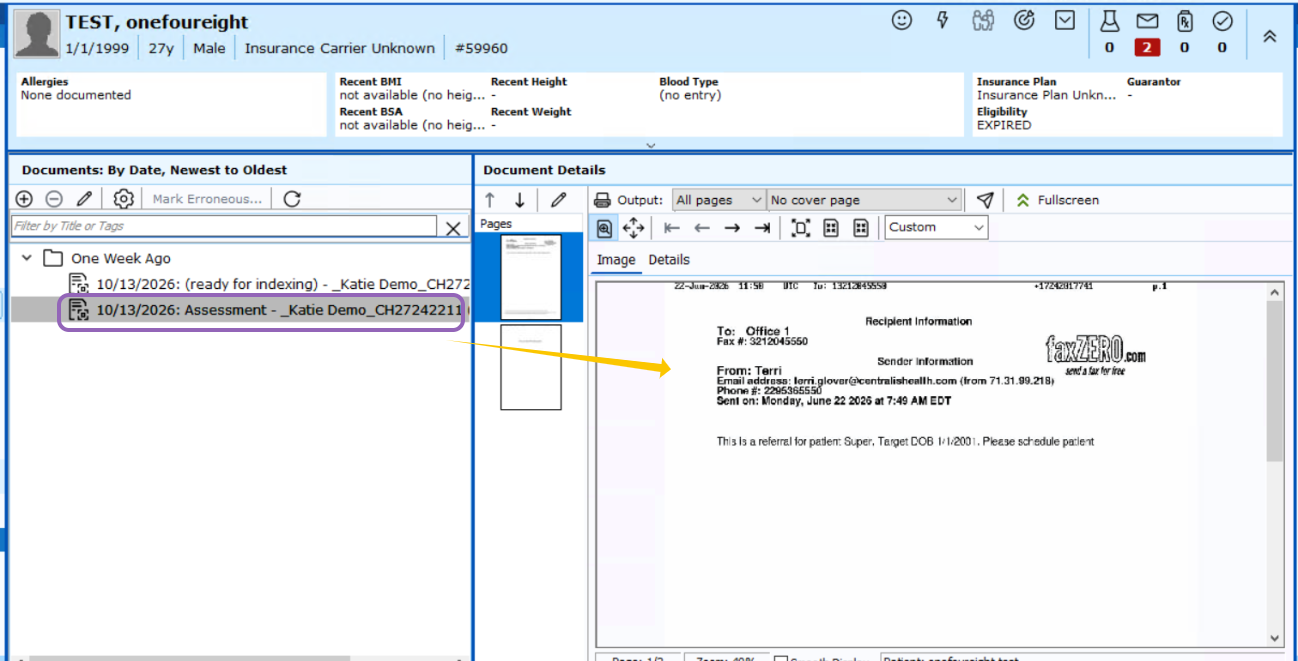
Save to Chart:
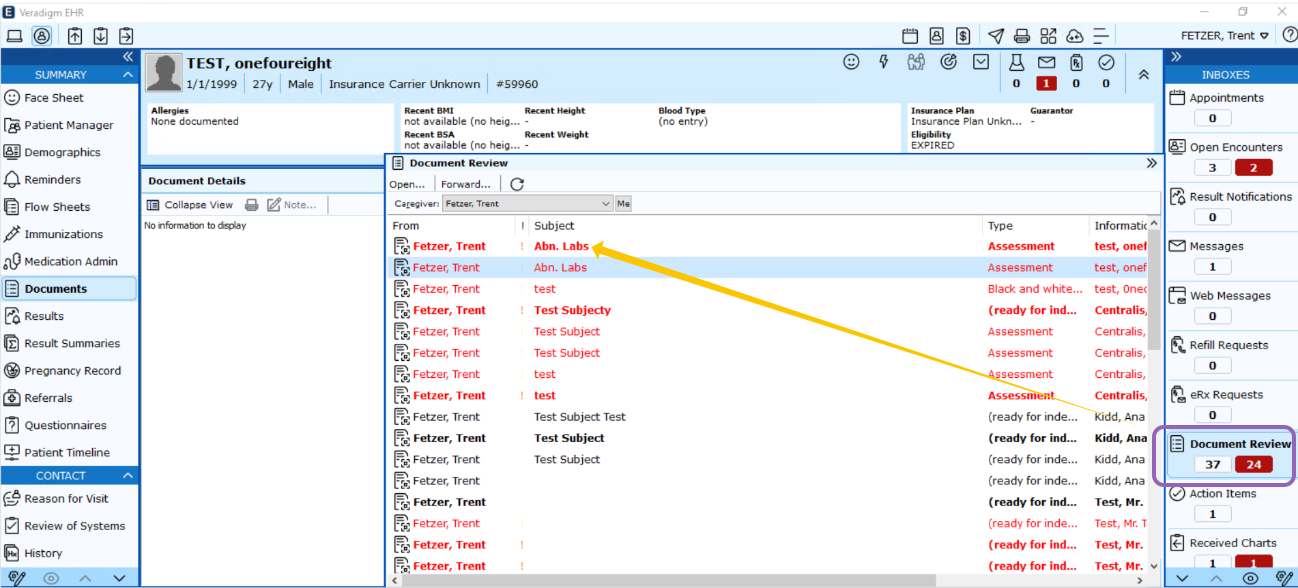
In the chart:
For Review: High Priority is optional
In the chart:
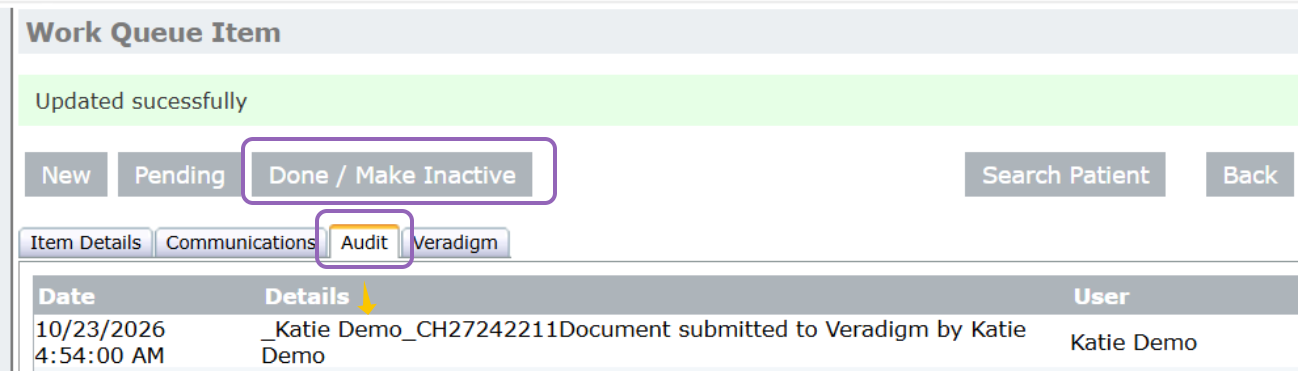
4. The Audit log will show a document was submitted and by who, once the document has been submitted, and your workflow has been completed, you can update the item to Done/Make Inactive
Was this article helpful?
That’s Great!
Thank you for your feedback
Sorry! We couldn't be helpful
Thank you for your feedback
Feedback sent
We appreciate your effort and will try to fix the article